

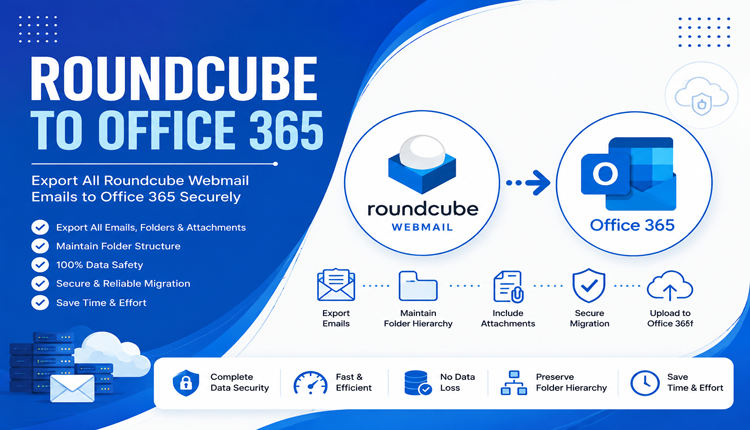

Roundcube Export All Emails to Office 365 – Read blog to solve this query by and Manual method, Roundcube to Office 365 migration tool that can export emails in batch mode.
In the dynamic landscape of digital communication, email remains an indispensable tool for personal and professional correspondence. With the evolution of email platforms, users often seek seamless transitions between services to enhance productivity and functionality. In this blog, we explore the process of exporting emails from Roundcube, a popular open-source webmail solution, to Office 365, a robust cloud-based email and collaboration suite provided by Microsoft. We'll delve into the significance of both platforms, reasons for Roundcube Export All Emails to Office 365, and a manual method for exporting Roundcube emails to Office 365 with its drawbacks and Alternative solution.
Roundcube is a free and open-source webmail solution known for its user-friendly interface and extensive feature set. It offers a rich email experience with support for various plugins, address book management, message filtering, and customizable themes. Roundcube caters to individuals, small businesses, and organizations seeking a reliable web-based email client.
Office 365, now part of Microsoft 365, is a comprehensive suite of productivity tools encompassing email, file storage, collaboration, and more. It provides users with access to familiar Microsoft applications such as Outlook, Word, Excel, and Teams, along with advanced security features and cloud-based infrastructure. Office 365 is designed to enhance communication, collaboration, and productivity for businesses of all sizes.
Why Users Export Roundcube to Office 365
There are several reasons why users opt to migrate from Roundcube to Office 365 –
- Enhanced Productivity - Office 365 offers a seamless integration of email with other productivity tools such as calendars, document sharing, and real-time collaboration, streamlining workflow and boosting productivity.
- Advanced Features - Office 365 provides advanced features such as intelligent email filtering, built-in malware protection, and data loss prevention, offering users a more secure and efficient email experience compared to traditional webmail solutions like Roundcube.
- Scalability and Reliability - Office 365 operates on Microsoft's globally distributed cloud infrastructure, ensuring scalability, reliability, and high availability of email services, making it an ideal choice for businesses with evolving needs.
- Centralized Management - Office 365 offers centralized administration tools that allow organizations to manage user accounts, security policies, and email settings from a single, intuitive interface, simplifying IT management and reducing administrative overhead.
Manual Method for Exporting Roundcube Emails to Office 365
While there are third-party tools available for automated migration, users can also manually export emails from Roundcube to Office 365 using the following steps -
- Export Roundcube Emails - Log in to your Roundcube account and select the emails you wish to export. Depending on Roundcube's capabilities, you may need to download emails in batches or export them to a local email client such as Thunderbird or Outlook.
- Convert Emails to PST Format - If using a local email client, export the emails to PST (Personal Storage Table) format, which is compatible with Microsoft Outlook. Most email clients offer options to export emails in PST format.
- Import PST File to Office 365 - Launch Microsoft Outlook and import the PST file containing Roundcube emails. Once imported, connect Outlook to your Office 365 account and synchronize the emails to the cloud.
- Verify Migration - After synchronization, verify that all Roundcube emails have been successfully migrated to Office 365 by accessing your mailbox through the Office 365 web interface or Outlook client.
Drawbacks of the Manual Method
- Time-Consuming Process - Manually exporting and importing Roundcube emails to Office 365 via PST conversion can be time-consuming, especially for large email accounts.
- Potential Data Loss - Manual methods may lead to data loss or corruption if not executed accurately, risking the integrity of emails during migration.
- Technical Expertise Required - Performing manual migration requires technical expertise in handling email clients and file formats, making it challenging for non-technical users.
- Limited Automation - Manual methods lack automation features present in specialized migration tools, resulting in manual effort for each step of the migration process.
- Dependency on External Software - Manually exporting Roundcube emails to PST format often relies on external email clients like Outlook, adding complexity and dependencies to the migration process.
Alternative Solution for Roundcube Export All Emails to Office 365
As an alternative, MacMister Roundcube Backup Tool for Mac provides a seamless solution for migrating Roundcube emails to Office 365. With its intuitive interface and advanced features, It simplifies the migration process by directly exporting Roundcube emails to Office 365 in a few clicks. It ensures data integrity, preserves folder hierarchy, and supports bulk migration, eliminating the drawbacks associated with manual methods. The tool is a reliable choice for users seeking a hassle-free migration experience from Roundcube to Office 365.