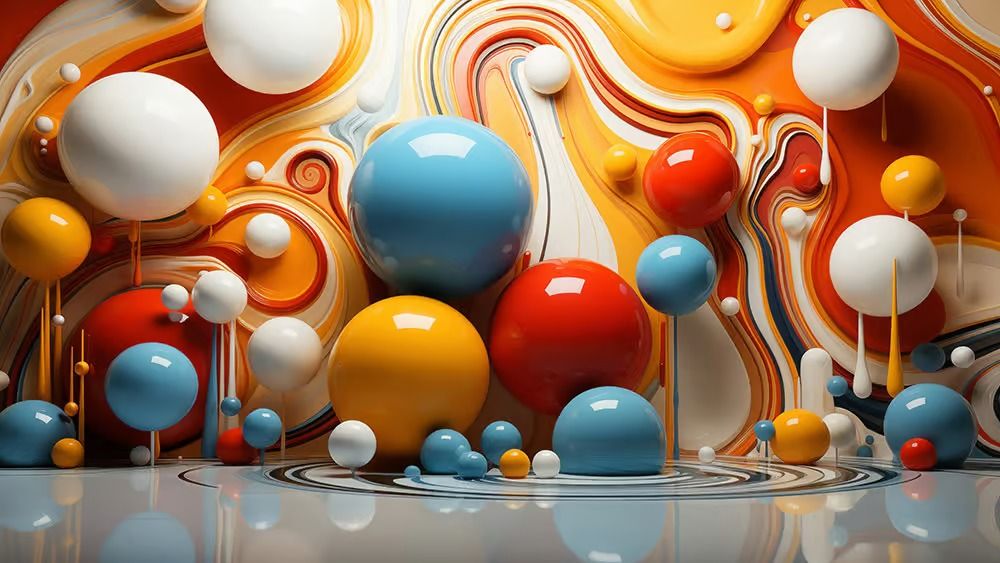
Blender, Photoshop, digital art, 3D tools, 2D tools, concept art, painterly style, futuristic scenes, Sony concept artist, art techniques
## Introduction
In the realm of digital art, the fusion of 3D and 2D tools has revolutionized the way artists approach their work. As a Sony concept artist, I find immense value in combining Blender and Photoshop to craft evocative painterly digital art. This method not only enhances my creative possibilities but also allows me to transport viewers into futuristic scenes that captivate the imagination. In this article, I will share my process of blending these powerful tools to create immersive artwork, while also providing insights into the techniques that make this approach so effective.
## The Power of Blender in Digital Art
### Why Choose Blender?
Blender is an open-source 3D modeling software that has gained significant traction in the creative community due to its versatility and robust features. From modeling to texturing and rendering, Blender provides artists with the tools necessary to create intricate 3D environments and characters. The ability to manipulate light and shadow in a 3D space allows for a depth of realism that is challenging to achieve in 2D alone.
### Creating 3D Assets
My process begins with Blender, where I focus on creating the 3D assets that will serve as the foundation for my artwork. I often start by sketching out my ideas on paper or digitally, envisioning a futuristic scene that I want to bring to life. Once I have a clear concept, I dive into Blender to model the various components of the scene, such as vehicles, buildings, and landscapes.
The importance of details cannot be overstated; small elements like textures, lighting, and environmental features can significantly enhance the overall composition. Blender’s sculpting tools allow me to add organic shapes and intricate designs, lending a painterly quality that will later blend seamlessly into the 2D elements created in Photoshop.
## Transitioning to Photoshop
### Importing 3D Renders
Once I’ve completed my 3D models, the next step is to render them in Blender and import the images into Photoshop. Here, I can manipulate the layers, colors, and textures to achieve the desired painterly effect. The synergy between 3D renders and 2D painting techniques is where the magic happens, allowing me to build depth and emotion within the artwork.
### Adding 2D Elements
Photoshop is my canvas for adding 2D elements that complement the 3D assets. This includes painting over the renders, incorporating textures, and adding atmospheric effects. Utilizing brushes that mimic traditional painting styles, I can create soft edges and dynamic strokes that enhance the overall aesthetic. Layering textures, such as brush strokes and digital paint, helps to unify the elements, resulting in a cohesive piece.
## Mastering the Painterly Style
### Techniques for a Painterly Effect
Achieving a painterly style in digital art requires a deliberate approach. One effective technique is using a combination of blending modes and adjustment layers in Photoshop. By manipulating the opacity and color settings, I can create a sense of depth and richness in the artwork.
Additionally, applying noise or grain can add a tactile quality to the image, making it feel more organic and less digitally produced. I often experiment with different brush settings to achieve varying levels of detail, allowing certain areas to be more refined while others remain loose and expressive.
### Color Theory and Composition
Understanding color theory is crucial when creating painterly digital art. I pay close attention to color harmony and contrast, ensuring that my futuristic scenes are visually striking and cohesive. Using a limited color palette can help maintain focus on the main elements of the composition, while complementary colors can draw the viewer's eye to critical focal points.
Composition is equally important; I adhere to the principles of balance and hierarchy to guide the viewer's journey through the artwork. The strategic placement of elements and the use of leading lines help create a sense of movement and dynamism within the scene.
## Bringing the Scene to Life
### Final Touches and Enhancements
As I near the completion of my artwork, the final touches are essential for bringing the scene to life. This includes adding subtle effects like glows, reflections, and atmospheric elements such as fog or rain. These details not only enhance the realism of the scene but also contribute to the overall mood and storytelling aspect of the piece.
### Feedback and Iteration
Throughout the process, I value feedback from peers and fellow artists. Sharing my work on platforms dedicated to digital art allows me to gain insights and constructive criticism, which can lead to improvements and refinements. Iterating on the artwork ensures that I continuously evolve my skills and techniques, enhancing the quality of my future projects.
## Conclusion
Combining Blender and Photoshop has transformed my approach to creating painterly digital art. This powerful synergy between 3D modeling and 2D painting not only allows for richer visuals but also immerses the viewer in captivating futuristic scenes. By mastering the techniques of both software, I can push the boundaries of my creativity and craft artwork that resonates with audiences. As the digital art landscape continues to evolve, I look forward to exploring new methods and technologies that will further enhance my artistic journey.
Source: https://www.creativebloq.com/art/digital-art/how-i-combine-blender-and-photoshop-to-create-painterly-digital-art
 English
 Arabic
 Français
 Spanish
 Portuguese
 Deutsch
 Turkish
 Dutch
Dutch
 Italiano
 Russian
 Romaian
 Portuguese (Brazil)
 Greek
Greek
 Réunionnais
 India
India
 Babarun (BBRN)
 Collab Influenceurs
 Coupon
 Procaly
 Récompenses
 Événementiels
 Parrainage
 Calculez vos calories
 Affiliation Matrice 3x9
 La silver économie
 Maps Membres
 BabaShopCenter
 Bot IA de Trading
 Runsound music
 Films partner IMDb
 Affiliation
 Prêts Immobiliers